AUTOPAY AND PAPERLESS BILLING
Bill Pay Made Easy
Enroll today and save up to $10 off your next bill!
Must be a first time user of autopay and/or paperless to qualify for bill credit.
Experience the ease and time-saving capability of autopay and paperless billing
Enrolling takes a few seconds and we'll guide you every step of the way until you have full control of your billing documents online.
ONE TIME $5 BILL CREDIT
Autopay
We understand how busy life can be. Autopay eliminates the need to constantly remind yourself to pay your bill.
ONE TIME $5 BILL CREDIT
Paperless
Enjoy the ease of having your bill delivered right to your email inbox. Plus, you'll save an extra $1.50 every month in mailing fees.
ONE TIME $10 BILL CREDIT
Both
Enjoy the time-saving capability of autopay and the convenience of paperless billing.
Fill Out this Form to Notify Us
and Claim Your Credit
Next Steps
STEP ONE
Create Your Online Account
Setup Autopay
STEP TWO
Setup Paperless
STEP THREE
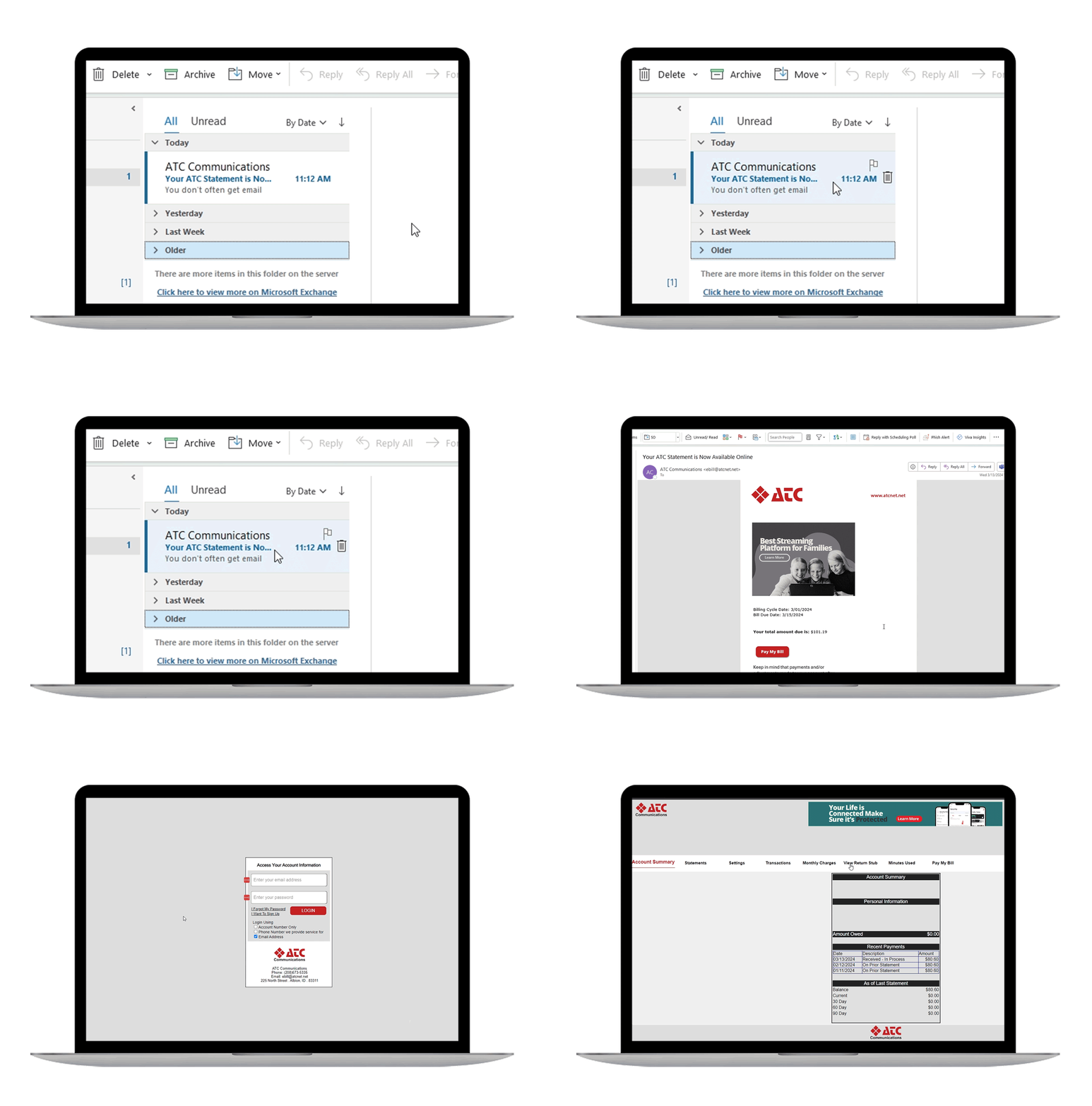
Enjoy Online Billing
Create Your Online Account
What you will need
Your Security PIN
- This pin was created when you signed up for internet and/or phone service
- If you do not know your PIN, please contact you local ATC office:
- Albion: (208) 673-5335
- Arco: (208) 527-3249
- Malad: (208) 766-2882
Step By Step Instructions
- Go to atcnet.net
- Click Account Login (top right corner)
- Click New User? Sign Up Here
- Complete the required fields (email address and security PIN)
- Accept the Terms and Conditions
- Under the Security Settings, create a Ebill Password
- Fill in the security questions
- Click Update
- Success! Your online account is now set up
Autopay Setup
Step By Step Instructions
- Log into your account by visiting atcnet.net
- Click on Account Login (top right corner)
- Click Pay My Bill in the top toolbar
- On the left column, click Add/Update Checking Account Information
- Enter the required information
- Click Update
- Under Update Billing Preferences, check Enroll me in Automatic Monthly Payments
- Choose the day the payment is processed
- Click Update
- Success! You are enrolled in autopay
Paperless Setup
Step By Step Instructions
- Log into your account by visiting atcnet.net
- Click on Account Login (top right corner)
- Click the Settings tab
- Change Receive my bill via to Email
- Click Update
- Success! You are enrolled in paperless billing
To view your bill and payment history anytime click "Account Login" in the top right corner of our website or click the button below.